Under the Hood of Focus Flasher: How Window Focus and Visual Alerts Work in Code
A technical breakdown of the Focus Flasher open-source project, exploring its programming language, core methods, window handling mechanisms, and visual alerting logic.
Introduction
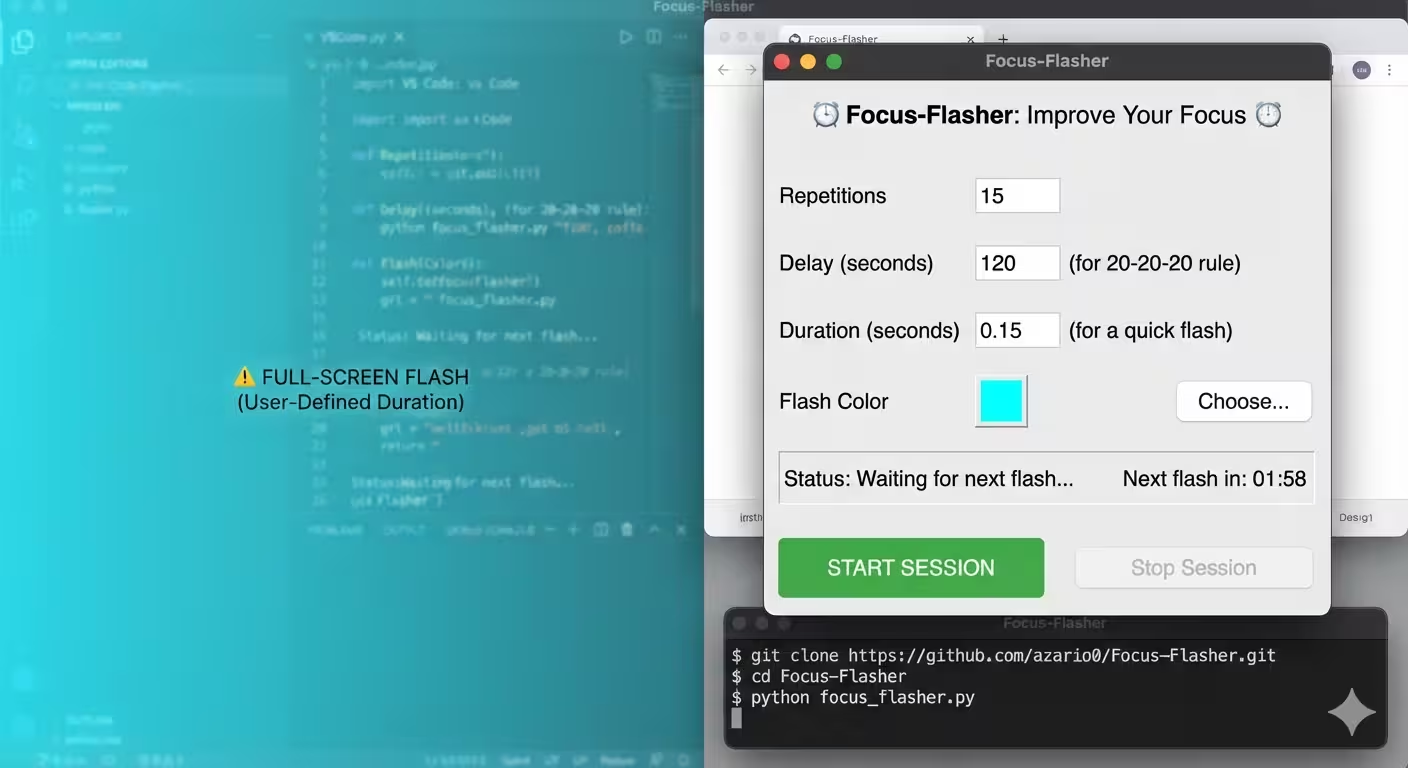
Maintaining concentration during intensive workflows often requires smart notification systems that don’t disrupt your state of flow. The Focus Flasher repository hosted on GitHub provides a lightweight, automated solution designed to capture user attention when specific system events or window focus shifts occur.
Instead of relying on intrusive pop-ups, Focus Flasher utilizes low-level window manipulation and visual cueing to gently alert users. This article breaks down the project’s structure, underlying codebase, and technical execution.
Tech Stack & Core Dependencies
The primary language powering Focus Flasher on GitHub is Python, leveraged for its rapid prototyping capabilities and seamless interface with system APIs.
- Python 3.x: Serves as the primary runtime environment.
- Win32 API /
ctypes: Enables direct interaction with the Windows Operating System kernel and window manager (user32.dll). - GUI Framework (Tkinter / PyQt): Manages user configuration panels, overlay windows, and toggle triggers.
How Focus Flasher Works: Key Methods & Logic
The project relies on capturing window handles (HWND) and modifying window states dynamically. Below is a breakdown of the core methods and logic mechanisms present in the codebase.
1. Window Handle Retrieval (GetForegroundWindow)
To trigger a visual flash on the active or target window, the script must first obtain the unique system identifier for that window.
- Method:
win32gui.GetForegroundWindow()orctypes.windll.user32.GetForegroundWindow() - Function: Queries the OS for the currently focused window handle (
HWND) to track state transitions.
2. Visual Flashing Mechanism (FlashWindowEx)
The core feature of the application relies on calling native Windows API routines to toggle taskbar or title bar highlight colors.
- Method:
win32gui.FlashWindowEx() - Parameters Passed:
cbSize: Size of theFLASHWINFOstructure.hwnd: Target window handle.dwFlags: Defines flash parameters (e.g.,FLASHW_ALLto flash both window caption and taskbar button).uCount: Number of times to flash.dwTimeout: Flashing frequency in milliseconds.
3. Event Loop & Threading
To prevent the user interface from freezing during alerting sequences, Focus Flasher delegates timer loops to secondary threads.
- Method:
threading.Thread(target=...) - Function: Executes background checks on active processes and window states without blocking the primary user interface.
Architecture Overview
+--------------------------+
|  User Config / GUI       |
+------------+-------------+
             |
             v
+--------------------------+      Background Monitoring
| Focus Flasher Core Loop  | <------------------------------+
+------------+-------------+                                |
             |                                              |
             v                                              |
+--------------------------+     Triggers Flash     +-------+--------+
|   Win32 API Bridge       | ---------------------> | Windows OS     |
|  (user32.dll / ctypes)   |                        | (user32.dll)   |
+--------------------------+                        +----------------+
Key Features & Benefits
- Lightweight Footprint: Low memory overhead due to native API calls rather than heavy web-wrapper frames.
- Non-Intrusive Notifications: Uses subtle window bar flashes rather than full-screen intrusive overlays.
- Customizable Triggers: Easily configurable intervals and target application lists.
To explore the source code directly, contribute, or fork the codebase, visit the official Focus Flasher GitHub Repository.

Written by
Benmalek Zohir
Founder, AI Engineer & Full Stack Developer
Benmalek Zohir is an AI Engineer, Full Stack Developer, and technology enthusiast focused on artificial intelligence, software development, and emerging technologies. He is the founder of SoftwareJournal.blog, where he shares practical insights, software discoveries, AI tools, and the latest developments in technology.