Building a Connect Four Game with Pygame and Minimax AI in Python
A comprehensive technical breakdown of the connect_four_py repository, exploring how Python, Pygame, and NumPy are used to build a classic Connect Four game complete with a challenging Minimax AI opponent featuring Alpha-Beta pruning.
Building a Connect Four Game with Pygame and Minimax AI in Python
The classic game of Connect Four is a staple in computer science and game development. It’s simple enough to understand, yet complex enough to serve as a perfect playground for artificial intelligence. In this article, we’ll dive deep into the connect_four_py open-source repository, breaking down its architecture, the technologies used, and the clever algorithms that power its AI opponent.
🛠️ Technology Stack
The project is built using a streamlined, modern Python stack:
- Python 3.8+: The core programming language, chosen for its readability and robust standard library.
- Pygame: A cross-platform set of Python modules designed for writing video games. It handles the graphical user interface (GUI), the main game loop, and event handling (like mouse clicks).
- NumPy: A powerful library for numerical computing. It is used here to efficiently represent and manipulate the 2D game board as a matrix, making state evaluations significantly faster than native Python lists.
🏗️ Game Architecture & Core Logic
The game logic is cleanly separated from the rendering logic, making the code highly maintainable. The board is a 6x7 grid, represented as a NumPy array initialized with zeros.
Key Game State Functions
create_board(): Returns a 6x7 NumPy array filled with zeros, representing an empty board.is_valid_location(board, col): Checks if the top row of a given column is empty, meaning a piece can still be dropped there.get_next_open_row(board, col): Iterates from the bottom up to find the lowest empty row in a column, simulating gravity.drop_piece(board, row, col, piece): Updates the board matrix by placing a player’s or AI’s piece in the calculated position.winning_move(board, piece): The ultimate validation function. It scans the board horizontally, vertically, and along both diagonals to check for four consecutive matching pieces.
🧠 The AI Opponent: Minimax with Alpha-Beta Pruning
The highlight of this repository is its AI opponent. Instead of making random moves, the AI uses the Minimax algorithm enhanced with Alpha-Beta Pruning to look ahead and make strategic decisions.
How the AI “Thinks”
score_position(board, piece): This heuristic function evaluates the entire board. It prioritizes controlling the center column (a well-known Connect Four strategy) and scans every possible 4-piece “window” horizontally, vertically, and diagonally.evaluate_window(window, piece): Scores individual 4-piece segments. It gives high points for 4-in-a-row, moderate points for 3-in-a-row with an empty spot, and deducts points if the opponent has a threatening 3-in-a-row.minimax(board, depth, alpha, beta, maximizingPlayer): The recursive brain of the AI.- If it’s the AI’s turn (Maximizing Player), it tries to maximize the score.
- If it’s the player’s turn (Minimizing Player), it assumes the player will play optimally and minimizes the score.
- Alpha-Beta Pruning cuts off branches of the decision tree that are guaranteed to be worse than already explored options, drastically improving performance.
Difficulty Levels
The AI’s difficulty is elegantly tied to the depth parameter of the Minimax search:
- Easy: Depth = 1 (Looks only 1 move ahead, highly exploitable).
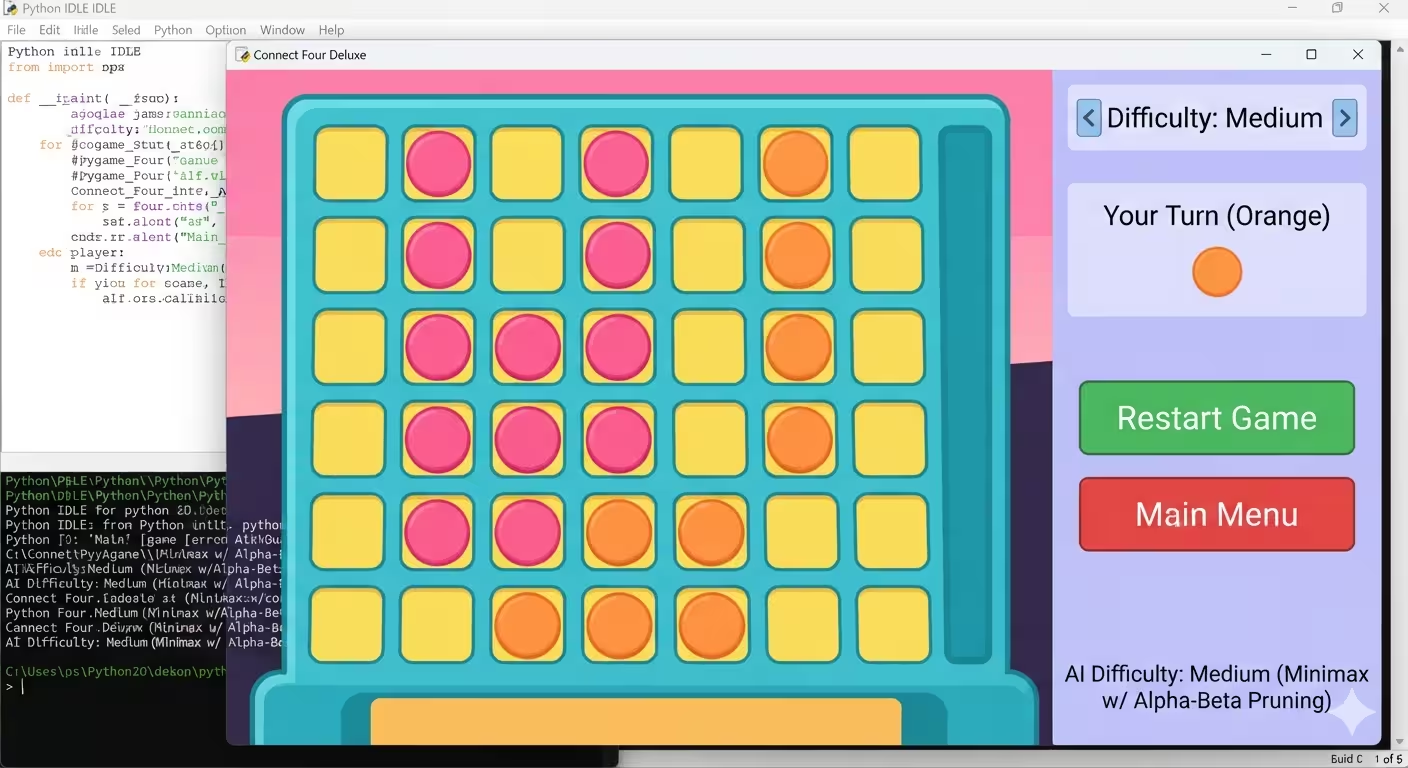
- Medium: Depth = 3 (A balanced challenge for casual players).
- Hard: Depth = 5 (Thinks 5 moves ahead, providing a formidable challenge).
🎨 Graphical User Interface (Pygame)
The visual layer is handled by a set of dedicated drawing functions, using a joyful, modern color palette (Teal, Navy, Orange, Pink, and Cream).
draw_board(board): Iterates through the NumPy matrix and draws Navy circles for empty slots, Orange circles for the player, and Pink circles for the AI.- State Management: The game operates in three distinct states:
MENU,PLAYING, andGAME_OVER. This ensures that mouse clicks are interpreted correctly depending on the context (e.g., clicking a difficulty button vs. dropping a piece). - Interactive Feedback: During the
PLAYINGstate,pygame.MOUSEMOTIONevents are used to draw a “ghost” piece at the top of the board, showing the player exactly where their piece will land before they click.
🚀 How to Run the Project
Getting the game running on your local machine is straightforward. Ensure you have Python 3.8+ installed.
- Clone the repository:
git clone https://github.com/azario0/connect_four_py.git cd connect_four_py - Set up a virtual environment (recommended):
python -m venv venv source venv/bin/activate # On Windows: venv\Scripts\activate - Install dependencies:
pip install pygame numpy - Run the game:
python app.py
📝 Conclusion
The connect_four_py repository is an excellent example of how to combine classic game design with foundational AI concepts. By leveraging NumPy for fast board manipulations and Pygame for a smooth, interactive UI, the project delivers a polished experience. The implementation of Minimax with Alpha-Beta pruning serves as a fantastic educational resource for anyone looking to understand adversarial search algorithms.
🔗 Further Reading & Resources
- Official Repository: azario0/connect_four_py
- Pygame Documentation
- NumPy Quickstart Tutorial
- Understanding Minimax and Alpha-Beta Pruning
Happy coding, and may the best player win!

Written by
Benmalek Zohir
Founder, AI Engineer & Full Stack Developer
Benmalek Zohir is an AI Engineer, Full Stack Developer, and technology enthusiast focused on artificial intelligence, software development, and emerging technologies. He is the founder of SoftwareJournal.blog, where he shares practical insights, software discoveries, AI tools, and the latest developments in technology.