Building an AI Code Commenter with Flask and Google Gemini: A Complete Walkthrough
A deep dive into azario0's code_commenter project — how a Flask app uses Google's Gemini API, regex-based JSON cleanup, and session storage to turn raw code into professionally commented, downloadable files.
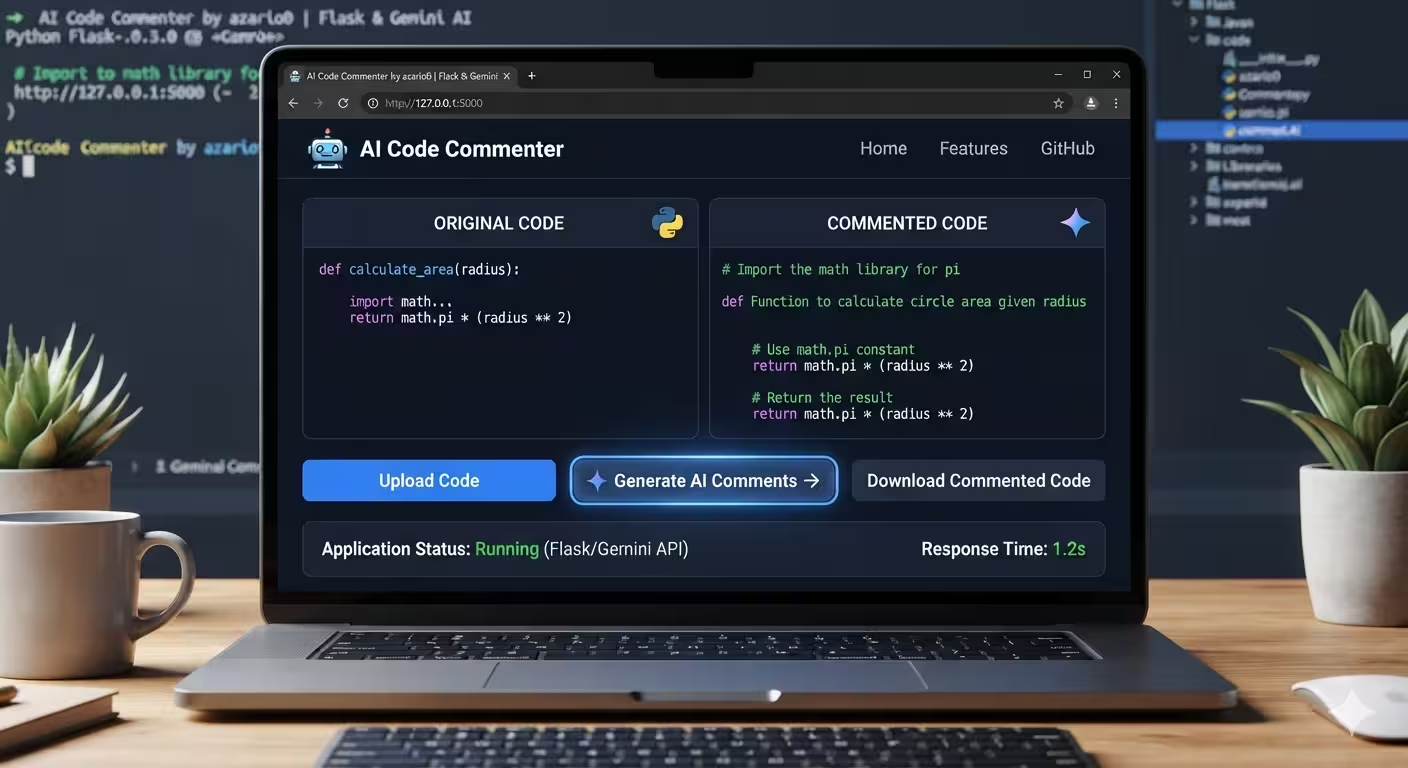
Building an AI Code Commenter with Flask and Google Gemini
There’s a small, genuinely useful pattern hiding inside azario0/code_commenter: take an LLM that’s good at reasoning about code, force its output into a strict shape, and wrap that in a five-route Flask app. The result is a tool where you paste in uncommented code and get back the same code, professionally annotated, ready to download.
What makes this project worth reading isn’t complexity — it’s economy. There’s no framework overhead, no database, no auth system. Just a prompt, a regex-based cleanup function, and a session. In this article we’ll walk through the whole thing: the notebook where the idea was prototyped, the Flask app that productionized it, and the front-end that ties it together.
The Stack
The project’s README lists the pieces plainly:
- Python as the language
- Flask as the web framework
- Google Generative AI (Gemini) — specifically
gemini-1.5-flash— as the commenting engine - Prism.js for syntax highlighting in the browser
- python-dotenv for keeping the API key out of source control
The dependency list in requirements.txt is refreshingly short:
flask
google-generativeai
python-dotenv
That’s the entire backend surface area. No ORM, no task queue, no build step for the frontend.
Where It Started: The Notebook
Before there was an app.py, there was a notebook.ipynb — and it’s worth reading because it shows the idea in its rawest form, before Flask routes and error handling got layered on top.
Step 1: Configure the model
import google.generativeai as genai

genai.configure(api_key='GEMINI_API_KEY')
model = genai.GenerativeModel('gemini-1.5-flash')
Nothing surprising — the standard google-generativeai SDK setup. gemini-1.5-flash is the fast, cheap tier of the Gemini family, which makes sense for a task that’s more “structured transformation” than “deep reasoning.”
Step 2: Design a prompt that behaves like an API contract
This is the interesting part. Instead of asking Gemini to “explain this code” and hoping for consistent formatting, the notebook constructs a prompt that treats the model like a function with a typed return value:
final_prompt = f"""
You are a professional code reviewer and documentation expert.
Your task is to take the provided code and add clear, concise, and professional comments
that explain the logic, purpose, and functionality of the code.

Requirements:
1. Return the original code exactly as given, but with added comments in the appropriate places.
2. Do not modify variable names, function names, or the structure of the code.
3. Make comments helpful for a reader who is learning or maintaining the code.
4. Return the result strictly as a JSON object with the following format:

{{
  "code_with_comments": "...",
  "extension": "..."
}}

Here is the code you must work on:
{user_input}
"""
Two design choices matter here:
- Explicit non-goals (“do not modify variable names… or the structure”) prevent the model from “helpfully” refactoring the user’s code — a common failure mode when you ask an LLM to touch code without constraints.
- A fixed JSON schema (
code_with_comments,extension) turns a free-text response into something a program can reliably consume. Theextensionfield is a clever detail: it lets the app figure out what kind of file to offer for download without the user ever specifying the language.
Step 3: The response isn’t clean JSON — so parse defensively
Gemini doesn’t return pure JSON. It wraps its answer in markdown fences, sometimes with extra prose, and the code_with_comments string itself often contains another layer of markdown fencing around the code block. The notebook’s clean_code_json function handles both layers:
def clean_code_json(response: str) -> dict:
    response = response.strip().lstrip("\ufeff").strip()

    match = re.search(r"\{.*\}", response, re.DOTALL)
    if not match:
        raise ValueError("No valid JSON object found in response")
    json_str = match.group(0)

    data = json.loads(json_str)

    code = data.get("code_with_comments", "")
    code = re.sub(r"^```[a-zA-Z]*\n?", "", code)
    code = re.sub(r"\n?```$", "", code)
    data["code_with_comments"] = code.strip()

    return data
Breaking this down:
.lstrip("\ufeff")strips a byte-order-mark, a subtle bug source when text comes from external APIs.re.search(r"\{.*\}", response, re.DOTALL)greedily grabs everything between the first{and the last}— a pragmatic way to ignore any stray prose Gemini adds before or after the JSON, without needing a full JSON-in-text parser.- Once the outer JSON is parsed, two more regexes strip a second, nested layer of code fences (e.g.
```python…```) that the model tends to wrap around the actual code inside thecode_with_commentsstring.
This two-layer defense (outer JSON extraction, inner fence stripping) is the crux of making an LLM’s loosely-structured output usable in a deterministic pipeline — and it’s the piece that survives, almost unchanged, into the production app.
Step 4: Save the result to disk
The notebook closes with a small utility for writing the cleaned code to a file, deriving the extension from the model’s own answer:
def save_code_file(data: dict, filename: str = "output"):
    if "code_with_comments" not in data or "extension" not in data:
        raise ValueError("Data must contain 'code_with_comments' and 'extension' keys.")

    ext = data["extension"].strip()
    if not ext.startswith("."):
        ext = "." + ext
    filepath = os.path.join(os.getcwd(), filename + ext)

    with open(filepath, "w", encoding="utf-8") as f:
        f.write(data["code_with_comments"])

    return filepath
This function is the direct ancestor of the /download route in the Flask app — same logic, just triggered by an HTTP request instead of a notebook cell.
From Notebook to App: app.py
The production version, code_commenter/app.py, reuses the notebook’s core functions almost verbatim (the comment # --- Helper Functions from Notebook --- says as much) and wraps them in a minimal Flask app with two routes.
Setup and model initialization
load_dotenv()
app = Flask(__name__)
app.secret_key = os.urandom(24)

try:
    API_KEY = os.getenv("GEMINI_API_KEY")
    if not API_KEY:
        raise ValueError("GEMINI_API_KEY not found in .env file")
    genai.configure(api_key=API_KEY)
    model = genai.GenerativeModel('gemini-1.5-flash')
except Exception as e:
    print(f"Error initializing GenerativeAI: {e}")
    model = None
Two things worth noting:
app.secret_key = os.urandom(24)generates a new random secret key every time the process starts. That’s fine for a single-worker dev server, but it means sessions won’t survive a restart, and it would break session sharing across multiple worker processes in a real deployment (each worker would sign cookies with a different key). For production, this should come from an environment variable instead.- The
try/exceptaround model initialization means the app doesn’t crash on a missing API key — it degrades gracefully, andmodelstaysNone, which later raises a clearConnectionErrorinstead of a crypticAttributeError.
The core AI call
def get_commented_code(user_code: str) -> dict:
    if not model:
        raise ConnectionError("AI Model is not initialized. Check API key and configuration.")

    final_prompt = f"""..."""  # same prompt as the notebook
    response = model.generate_content(final_prompt)
    return clean_code_json(response.text)
This is a thin, well-named wrapper: guard clause, prompt, call, parse. It’s the kind of function that makes the route handler below easy to read, because all the AI-specific complexity is hidden behind one call.
The main route
@app.route('/', methods=['GET', 'POST'])
def index():
    if request.method == 'POST':
        user_code = request.form.get('code_input', '')
        code_file = request.files.get('code_file')

        if code_file and code_file.filename != '':
            try:
                user_code = code_file.read().decode('utf-8')
            except UnicodeDecodeError:
                return render_template('index.html', error="Could not read the uploaded file...")

        if not user_code.strip():
            return render_template('index.html', error="Please paste your code or upload a file.")

        try:
            result = get_commented_code(user_code)

            session['commented_code'] = result['code_with_comments']
            session['extension'] = result['extension'].strip('. ')

            return render_template(
                'index.html',
                commented_code=result['code_with_comments'],
                original_code=user_code,
                extension=session['extension']
            )
        except Exception as e:
            return render_template('index.html', error=f"An error occurred: {e}", original_code=user_code)

    return render_template('index.html')
Walking through the logic:
- Two input paths, one variable. The form accepts either pasted text (
code_input) or a file upload (code_file). If a file is present, it overwritesuser_code— file upload takes priority over pasted text. - Validation before the API call. Empty input is caught early, avoiding a wasted Gemini request.
- Session as a hand-off mechanism. The commented code and its extension are stored in the Flask
session(a signed cookie by default) rather than a database. This is what lets the/downloadroute work statelessly: it doesn’t need the code passed in the URL, it just reads it back out of the session. - Broad exception handling. The
except Exception as ecatches everything from a malformed Gemini response to a network failure, surfacing it as a user-facing error message rather than a 500 page. This is generous for a small tool, though a production version would likely want to distinguish “AI returned bad JSON” from “network timeout” for better UX.
The download route
@app.route('/download')
def download_file():
    commented_code = session.get('commented_code')
    extension = session.get('extension')

    if not commented_code or not extension:
        return redirect(url_for('index'))

    download_dir = os.path.join(app.root_path, 'temp_downloads')
    os.makedirs(download_dir, exist_ok=True)

    filename = f"commented_code.{extension}"
    filepath = os.path.join(download_dir, filename)

    with open(filepath, "w", encoding="utf-8") as f:
        f.write(commented_code)

    return send_from_directory(directory=download_dir, path=filename, as_attachment=True)
This mirrors the notebook’s save_code_file, but adapted to Flask’s send_from_directory, which handles setting the right Content-Disposition header so the browser triggers an actual download rather than rendering the file inline. One thing to flag for anyone extending this: since the filename is always commented_code.{extension}, concurrent users on a shared deployment (without per-worker isolation) would overwrite each other’s temp files — fine for a single local user, worth fixing before multi-user production use.
The Front End: templates/index.html
The template is a single Jinja2 file doing three jobs: collect input, display results, and trigger the download.
<form method="POST" enctype="multipart/form-data" id="code-form">
    <textarea name="code_input" ...>{{ original_code or '' }}</textarea>
    <input type="file" name="code_file" id="code_file">
    <button type="submit" id="submit-btn">
        <span class="btn-text">Add Comments</span>
        <span class="loader" style="display: none;"></span>
    </button>
</form>
enctype="multipart/form-data" is required because the form mixes a text field with a file input — without it, the uploaded file would never make it into request.files.
When results exist, the template renders original and commented code side-by-side using Prism.js for syntax highlighting:
<pre><code class="language-{{ extension }}">{{ original_code }}</code></pre>
...
<pre><code class="language-{{ extension }}">{{ commented_code }}</code></pre>
The class="language-{{ extension }}" is doing real work: because the Gemini prompt asks for an extension field, the template can dynamically tell Prism which grammar to highlight with — Python, JavaScript, C++, whatever the AI detected — without the app needing its own language-detection logic.
A small script handles the loading state:
document.getElementById('code-form').addEventListener('submit', function() {
    const btn = document.getElementById('submit-btn');
    btn.disabled = true;
    btn.querySelector('.btn-text').style.display = 'none';
    btn.querySelector('.loader').style.display = 'inline-block';
});
Straightforward UX polish — disable the button and swap in a spinner so users don’t double-submit while waiting on the Gemini round-trip.
How It All Fits Together
Tracing one full request:
- User pastes code or uploads a file → POST to
/. - Flask extracts
user_code, validates it’s non-empty. get_commented_code()builds the schema-constrained prompt and callsmodel.generate_content().clean_code_json()strips the outer JSON wrapper and the inner markdown fences, returning a clean{code_with_comments, extension}dict.- Both values are stashed in the session and rendered into the template.
- Prism.js highlights both code panels client-side using the AI-supplied
extension. - If the user clicks Download,
/downloadpulls the same values back out of the session, writes them to a temp file, and streams it back as an attachment.
The whole system is essentially notebook logic wearing a web interface — and that’s what makes it a good reference project. The hard problem (getting a language model to return code changes in a reliably parseable shape) was solved and tested interactively first; the app layer is just routing and state management around functions that already worked.
Takeaways for Your Own Projects
A few patterns here generalize well beyond this specific tool:
- Prompt the model for a strict JSON contract, and always parse defensively. Assume markdown fences, stray prose, and nested code blocks will show up in the response, even when you’ve asked the model not to include them.
- Prototype in a notebook, then lift the working functions almost unchanged into your app. The comment
# --- Helper Functions from Notebook ---inapp.pyis an honest, useful trail marker. - Let the model self-report metadata you’d otherwise have to compute — here, the file extension — instead of writing your own language-detection code.
- Session storage is a lightweight hand-off for single-user flows like “generate result, then let me download it,” without needing a database.
The full source is on GitHub: azario0/code_commenter. It’s small enough to read end-to-end in fifteen minutes, and that’s exactly what makes it worth reading.

Written by
Benmalek Zohir
Founder, AI Engineer & Full Stack Developer
Benmalek Zohir is an AI Engineer, Full Stack Developer, and technology enthusiast focused on artificial intelligence, software development, and emerging technologies. He is the founder of SoftwareJournal.blog, where he shares practical insights, software discoveries, AI tools, and the latest developments in technology.