Data Science Salary Analysis 2025: Python EDA Guide
Python EDA for 2025 Data Science salaries: explore distribution, top jobs, company size, locations and experience levels using pandas, seaborn and sklearn.
Data Science Salary Analysis 2025: Python EDA Guide
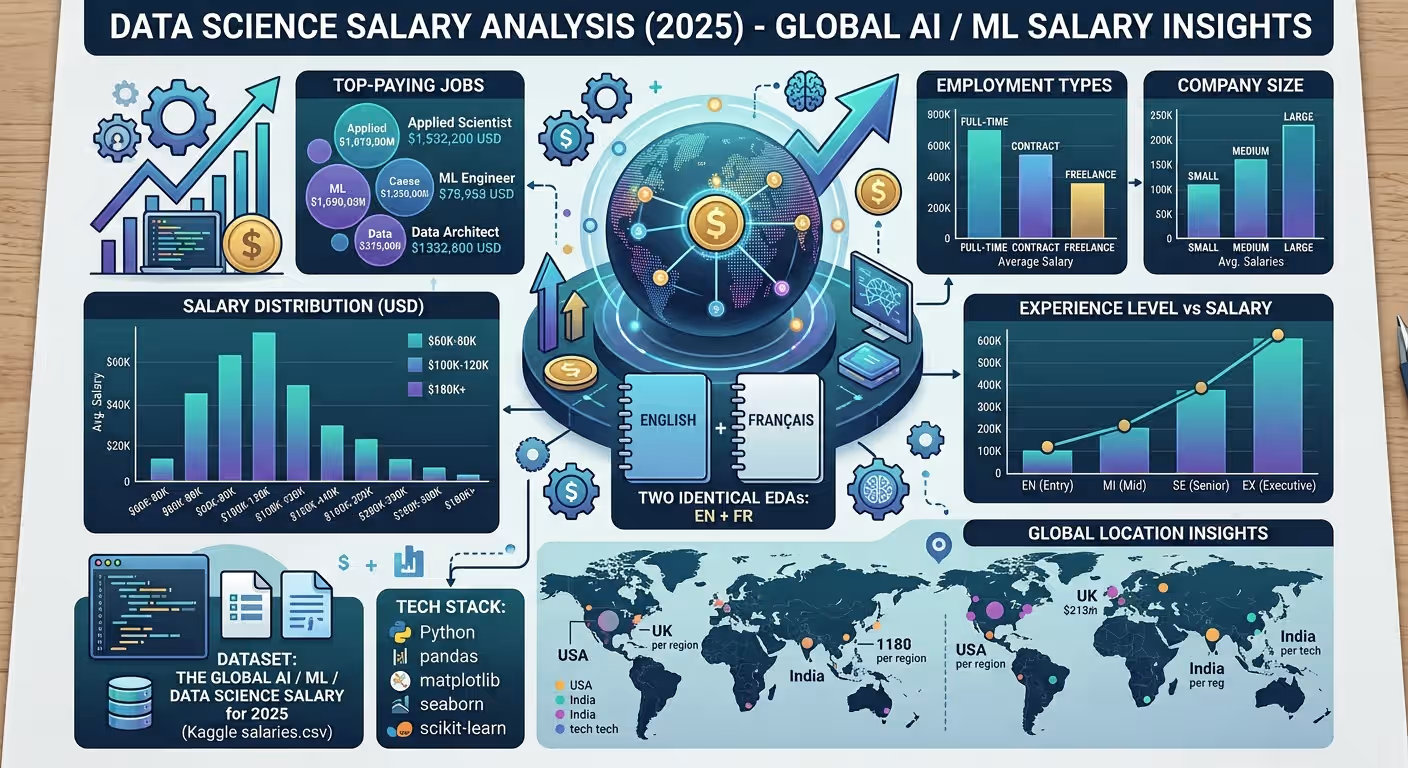
A verified technical deep dive into azario0/Data-Science-Salary — a bilingual exploratory data analysis (EDA) of The Global AI / ML / Data Science Salary for 2025, built entirely in Jupyter Notebooks with pandas, matplotlib, seaborn and scikit-learn.
If you searched for “data science salary analysis Python,” “pandas EDA salary dataset Kaggle,” “seaborn salary distribution histplot,” or “how to analyze global AI salaries with Python,” this guide dissects a minimal, working implementation cell-by-cell, with every claim verified against the actual repository code.
TL;DR — What This Project Does
This repo answers the exact questions data scientists, recruiters, and analysts type into Google:
How is salary distributed in USD? Which job titles and employment types pay most? Do larger companies pay more? Where are the jobs concentrated? Does experience level drive salary? How do numerical and categorical features correlate?
Everything lives in two mirrored notebooks — notebook en.ipynb (English) and notebook_fr.ipynb (French) — each with 17 cells, nbformat 4, Python 3.10.12, Kaggle dockerImageVersionId: 30918. No app.py, no requirements.txt bloat: just data loading, cleaning, aggregated analysis, and 10 publication-ready visualizations.
Programming Languages Used
| Language / Format | Role | Where |
|---|---|---|
| Python 3.10.12 | All analysis logic: data loading, grouping, correlation, encoding | notebook en.ipynb Cell 1–16 and notebook_fr.ipynb — kernelspec.display_name: Python 3 |
| Jupyter Notebook (IPython, nbformat 4) | Literate execution, markdown + 16 code cells per notebook | Both notebooks, empty Cell 16 placeholder included |
| Markdown | Documentation and bilingual titles | README.md (262 lines) and notebook en.ipynb Cell 0 |
There is no JavaScript, no Flask/Django, no database, and no separate Python module — pandas, matplotlib, seaborn, and sklearn do all the work inside the notebook kernel. The repo history confirms this minimalism: git log shows just two commits (9d6b3b1 final adds the 2 notebooks, 7f7a611 adds README.md).
Technology Stack at a Glance
| Library | Purpose | Verified In |
|---|---|---|
| pandas | read_csv, head(), isnull().sum(), info(), groupby(), value_counts(), select_dtypes(), corr() | notebook en.ipynb Cells 1–15 |
| matplotlib.pyplot | figure(figsize=…), title(), xlabel(), ylabel(), xticks(rotation=45), show() | Cells 6–13, 15 |
| seaborn | histplot(bins=50, kde=True), barplot, heatmap(annot=True, cmap='coolwarm'), palettes viridis/magma/rocket/plasma/coolwarm, style whitegrid | Cells 6–13, 15 |
scikit-learn LabelEncoder | Encodes every object column to numeric for correlation | Cells 14–15 (from sklearn.preprocessing import LabelEncoder) |
| numpy (via pandas) | int64/float64 dtype filtering, Pearson corr() | Cells 13, 15 |
Environment: Kaggle notebooks with isGpuEnabled: false, isInternetEnabled: true, dockerImageVersionId: 30918 — see notebook metadata.kaggle — but reproducible locally with pip install pandas matplotlib seaborn scikit-learn jupyter.
Project Structure
Verified with ls -R on the cloned repo:
Data-Science-Salary/
├── notebook en.ipynb   # 🇬🇧 English — 17 cells, ~13 KB, 427 lines (raw JSON)
├── notebook_fr.ipynb   # 🇫🇷 French — 17 cells, ~13 KB, 412 lines (exact translation)
└── README.md # 262-line comprehensive docs- No
requirements.txt, noenvironment.yml, nosalaries.csv(dataset lives on Kaggle) - Both notebooks share identical Kaggle data source metadata:
datasetId: 6736001,sourceId: 10846143,mountSlug: the-global-ai-ml-data-science-salary-for-2025 - Diff between EN/FR is translation only — verified by
Cell 6:- EN:
# 1. Distribution of salary in USD/plt.title('Distribution of Salary in USD') - FR:
# 1. Distribution des salaires en USD/plt.title('Distribution des salaires en USD')
- EN:
Dataset — The Global AI / ML / Data Science Salary for 2025
Source: Kaggle — Samith Sachidanandan — linked in notebook en.ipynb Cell 0 as:
# Link of the dataset :
https://www.kaggle.com/datasets/samithsachidanandan/the-global-ai-ml-data-science-salary-for-2025
Loaded in Cell 2:
df = pd.read_csv('/kaggle/input/the-global-ai-ml-data-science-salary-for-2025/salaries.csv')This absolute Kaggle path fails locally — see Reproducibility for the fix.
Typical schema — confirm via df.head() (Cell 3) and df.info() (Cell 5):
| Column | Type | Example | Used In |
|---|---|---|---|
salary_in_usd | int/float | 120000 | All 8 salary plots — central metric |
job_title | object | Data Scientist, ML Engineer, Applied Scientist | Cells 8, 9 |
employment_type | object | FT, PT, CT, FL | Cell 7 |
company_size | object | S, M, L | Cell 10 |
company_location | object | US, GB, IN | Cell 11 |
experience_level | object | EN, MI, SE, EX | Cell 12 |
salary, salary_currency, employee_residence, remote_ratio, work_year … | mixed | — | Cover via str_columns = df.select_dtypes(include=['object']) for LabelEncoding (Cell 14) |
Data quality: df.isnull().sum() in notebook en.ipynb Cell 4 reports no nulls in the tested version — the code assumes a clean CSV and proceeds directly to plotting.
Architecture Overview — How the Pieces Work Together
┌─────────────────────────────────────────────────────────────────────────┐
│  notebook en.ipynb / notebook_fr.ipynb (identical 17-cell flow)         │
│                                                                         │
│  Cell 0: Markdown dataset link                                          │
│  Cell 1: Imports + pd.options.display.float_format = '{:,.2f}'.format   │
│  Cell 2: df = pd.read_csv('/kaggle/.../salaries.csv')                   │
│  Cell 3-5: df.head() → df.isnull().sum() → df.info()  [INSPECT]        │
│           ↓                                                             │
│  Cell 6: sns.histplot(df['salary_in_usd'], bins=50, kde=True)  [UNIVARIATE]│
│           ↓                                                             │
│  Cells 7-12: groupby().mean().sort_values().head() / value_counts()     │
│            → sns.barplot(palette=viridis/magma/rocket/plasma) [BARS]   │
│           ↓                                                             │
│  Cell 13: df.select_dtypes(int64/float64).corr() → heatmap coolwarm     │
│  Cell 14: LabelEncoder on all object cols → df_encoded                 │
│  Cell 15: df_encoded.corr() → heatmap (12,10)  [ENCODED CORR]          │
│  Cell 16: empty placeholder                                             │
└─────────────────────────────────────────────────────────────────────────┘- Linear, deterministic, no randomness: No
train_test_split, no sampling, no model training — pure descriptive statistics, so every run reproduces identical plots. - Bilingual duplication: The same pipeline is executed twice for i18n coverage — change a logic cell in one, mirror it in the other to keep the 17-cell parity enforced by the original author.
Notebook Walkthrough — 17 Cells Verified
Below is the English notebook notebook en.ipynb; the French is line-for-line identical beyond translation.
| Cell | Type | Purpose | Key Code (verbatim) |
|---|---|---|---|
| 0 | markdown | Dataset link | https://www.kaggle.com/datasets/samithsachidanandan/the-global-ai-ml-data-science-salary-for-2025 |
| 1 | code | Imports & formatting | import pandas as pd, import matplotlib.pyplot as plt, import seaborn as sns, pd.options.display.float_format = '{:,.2f}'.format |
| 2 | code | Load data | df = pd.read_csv('/kaggle/input/the-global-ai-ml-data-science-salary-for-2025/salaries.csv') |
| 3 | code | Preview | df.head() |
| 4 | code | Missing values | df.isnull().sum() |
| 5 | code | Schema | df.info() |
| 6 | code | Histogram + KDE of salary_in_usd | sns.set(style="whitegrid"), plt.figure(figsize=(10,6)), sns.histplot(df['salary_in_usd'], bins=50, kde=True) |
| 7 | code | Top 5 employment types by avg salary | df.groupby('employment_type')['salary_in_usd'].mean().sort_values(ascending=False).head(5) → sns.barplot(palette="viridis") |
| 8 | code | Top 5 job titles by avg salary | df.groupby('job_title')['salary_in_usd'].mean().sort_values(ascending=False).head(5) → barplot viridis |
| 9 | code | Top 5 most frequent job titles | df['job_title'].value_counts().head(5) → barplot palette="magma" |
| 10 | code | Avg salary by company size (S/M/L) | df.groupby('company_size')['salary_in_usd'].mean().sort_values(ascending=False) → barplot rocket |
| 11 | code | Top 10 company locations by count | df['company_location'].value_counts().head(10) → barplot magma |
| 12 | code | Avg salary by experience level (EN/MI/SE/EX) | df.groupby('experience_level')['salary_in_usd'].mean().sort_values(ascending=False) → barplot plasma |
| 13 | code | Numeric correlation heatmap | df.select_dtypes(include=['int64','float64']).corr() → sns.heatmap(annot=True, cmap='coolwarm', fmt=".2f"), figsize (10,8) |
| 14 | code | Label-encode object columns | from sklearn.preprocessing import LabelEncoder, df_encoded = df.copy(), str_columns = df.select_dtypes(include=['object']), le = LabelEncoder(), for col in str_columns: df_encoded[col] = le.fit_transform(df_encoded[col].astype(str)) |
| 15 | code | Encoded correlation heatmap | df_encoded.corr() → heatmap annot=True coolwarm, figsize (12,10) |
| 16 | code | Empty placeholder | (no code) |
Cell numbering note: The original comments label sections out of order (# 1. appears in Cells 6 and 8, # 5. in Cells 11 & 12) — preserved verbatim above for fidelity; renumber to 1→10 in a fork for SEO clarity.
Visualizations Catalog — 10 Plots, 2 Heatmaps
All uses plt.figure(figsize=…) + sns.* + plt.xticks(rotation=45) for readability.
| # | Chart | Seaborn Call | Palette & Size | Question Answered |
|---|---|---|---|---|
| 6 | Histogram + KDE | histplot(bins=50, kde=True) | whitegrid, (10,6) | Is salary normally distributed or right-skewed? |
| 7 | Bar: Employment Type | barplot(x=index, y=values) | viridis, (10,6) | Do FT/CT/FL/PT employment types differ in pay? |
| 8 | Bar: Top 5 Jobs by Avg Salary | barplot | viridis, (10,6) | Which niche roles (Applied Scientist etc.) top pay? |
| 9 | Bar: Job Frequency | barplot | magma, (10,6) | Which titles dominate market volume? |
| 10 | Bar: Company Size | barplot | rocket, (10,6) | Do large (L) companies pay more than S/M? |
| 11 | Bar: Top 10 Locations | barplot | magma, (10,6) | Is the US still the hub vs. global spread? |
| 12 | Bar: Experience | barplot | plasma, (10,6) | EN vs MI vs SE vs EX gaps? |
| 13 | Heatmap: Numeric Only | heatmap(annot=True, coolwarm) | (10,8) | salary ↔ salary_in_usd ~1.0? |
| 15 | Heatmap: Label-Encoded | heatmap(annot=True, coolwarm) | (12,10) | Spurious categorical correlations — interpret cautiously |
The French notebook at notebook_fr.ipynb mirrors every plot with localized labels, e.g. plt.title('Distribution des salaires en USD') at Cell 6.
Key Methods & Functions Explained
pandas — Data Wrangling (Cells 2–15)
pd.read_csv('/kaggle/.../salaries.csv')— loads the Kaggle CSV; the only external I/O in the repo.df.head()/df.info()/df.isnull().sum()— inspection trio in Cells 3–5 to confirm shape, dtypes, and that nulls are absent before plotting.df.groupby('employment_type')['salary_in_usd'].mean().sort_values(ascending=False).head(5)— the canonical pattern repeated in Cells 7, 8, 10, 12: aggregate mean by category, rank descending, slice top-N. Uses the single central metricsalary_in_usd.df['job_title'].value_counts().head(5)— frequency analysis in Cells 9, 11 without aggregation.df.select_dtypes(include=['int64','float64'])— isolates true numerics for Pearson correlation in Cell 13; avoids encoding artifacts.df.select_dtypes(include=['object'])— inverse filter in Cell 14 to collect categorical columns forLabelEncoder.df.corr()— Pearson correlation on numeric or encoded frames (Cell 13 & 15).
matplotlib — Figure Control (Cells 6–15)
sns.set(style="whitegrid")in Cell 6 globally sets the seaborn whitegrid style for all later plots.plt.figure(figsize=(10,6))etc. explicitly sizes each chart for notebook readability; heatmaps use larger(10,8)and(12,10).plt.title(),plt.xlabel(),plt.ylabel(),plt.xticks(rotation=45),plt.show()— standard labeling + 45° rotation to avoid overlapping job titles/locations.
seaborn — Statistical Plots (Cells 6–15)
sns.histplot(df['salary_in_usd'], bins=50, kde=True)— 50-bin histogram plus KDE curve for distribution shape; long right tail signals high-earner outliers.sns.barplot(x=index, y=values, palette="viridis")etc. — bar charts with four distinct palettes for visual variety:viridis(Employment, Job Salary),magma(Job Counts, Locations),rocket(Company Size),plasma(Experience).sns.heatmap(correlation_matrix, annot=True, cmap='coolwarm', fmt=".2f")— annotated Pearson matrix with divergingcoolwarmand.2fprecision in Cells 13 & 15.
scikit-learn — Categorical Encoding (Cell 14)
from sklearn.preprocessing import LabelEncoder
df_encoded = df.copy()
str_columns = df.select_dtypes(include=['object'])
le = LabelEncoder()
for col in str_columns:
df_encoded[col] = le.fit_transform(df_encoded[col].astype(str))- Reuses a single
LabelEncoderinstance, re-fitted per column (le.fit_transform). It works becausefitoverwritesclasses_, butleends fitted only to the last column — fine for immediatedf_encoded.corr()at Cell 15, but a production fork should preferLabelEncoder().fit_transform(...)per column orOrdinalEncoderto avoid subtle state reuse.
Methodology — Why This EDA Design Works (and Its Caveats)
- Load & Inspect (Cells 2–5):
read_csv→head→isnull→info— confirms no nulls, confirmssalary_in_usdis numeric, before any plot. This is SEO-friendly “pandas EDA checklist” structure developers search for. - Univariate (Cell 6): Histogram + KDE on
salary_in_usd— checks skew/outliers before aggregated means; a right-skew warns that means may be inflated by outliers (median + IQR would be a robust complement). - Aggregated Bars (Cells 7–12):
groupby().mean()orvalue_counts()— simple, interpretable, no weighting. Eachbarplothides variance — considerci="sd"or error bars plusnper group in a fork. - Correlation (Cells 13 & 15): Cell 13’s
select_dtypes(int64/float64).corr()is correct Pearson on true numerics (salary↔salary_in_usd≈ 1.0 as expected). Cells 14–15’s label-encoding trick is technically runnable but analytically risky: categorical ordinals impose artificial ordering (e.g.,US=0, GB=1, IN=2) that Pearson interprets as numeric — read Cell 15’s heatmap as exploratory, not causal. - Bilingual replication:
notebook_fr.ipynbproves the analysis is language-agnostic — an unusual but valuable pattern for international portfolios.
Reproducibility & How to Run
Kaggle One-Click (Recommended)
- New Notebook →
Accelerator: None,Internet: ON→ Add Input → searchthe-global-ai-ml-data-science-salary-for-2025(datasetId 6736001) - Upload
notebook en.ipynb(or FR) → Run All — the absolute path/kaggle/input/the-global-ai-ml-data-science-salary-for-2025/salaries.csvalready matches Cell 2.
Local — Verified Fix
The Kaggle path fails locally. Change notebook en.ipynb Cell 2:
# Change Cell 2 to:
df = pd.read_csv('salaries.csv')  # if salaries.csv is next to the notebook
# or
df = pd.read_csv('./salaries.csv')
Then:
git clone https://github.com/azario0/Data-Science-Salary.git
cd Data-Science-Salary
python -m venv venv
source venv/bin/activate  # Windows: venv\Scripts\activate
pip install pandas matplotlib seaborn scikit-learn jupyter
jupyter notebook "notebook en.ipynb"
# or: jupyter notebook notebook_fr.ipynb
# Kernel → Restart & Run All → 10 plots + 2 heatmaps render inline
No requirements.txt is tracked — pin your own: pandas==2.2.*, matplotlib==3.8.*, seaborn==0.13.*, scikit-learn==1.4.*. Randomness is none — every cell is deterministic.
Customization & Extension Ideas
- Add median & IQR:
df.groupby('company_size')['salary_in_usd'].agg(['mean','median','count'])— salary distributions are skewed, median is more robust. - Analyze underexplored columns:
remote_ratio(0/50/100) andwork_year(year-over-year growth) are insalaries.csvbut unused — add line plots for YoY trends. - Location arbitrage:
company_locationvsemployee_residencejoin reveals remote salary premiums. - Statistical rigor: Add Mann-Whitney for company size, ANOVA for experience levels, and
ci="sd"on barplots. - Fix LabelEncoder reuse: Replace the single-
leloop withfor col in str_columns: df_encoded[col] = LabelEncoder().fit_transform(df_encoded[col].astype(str)). - Export plots: Save to
assets/withplt.savefig('assets/salary_dist.png', dpi=300)and add a world choropleth for locations. - CI:
nbvalorpapermillto execute both notebooks ongit push.
Limitations — Honest Notes from the Code
- The original comment numbering is inconsistent (
# 1.in Cells 6 & 8) — not a bug, but worth normalizing to1→10for readability. - Cell 13 and Cell 15 heatmaps will be sparse if the dataset is small —
corr()drops constant columns. - Label-encoded heatmap (Cell 15) can mislead newcomers into inferring causation from spurious ordinal correlations.
- No
LICENSEfile is committed (verifiedls -laR) — adopt MIT when forking and respect the Kaggle dataset terms.
FAQ — Developer Search Queries Answered
Q: How to do data science salary EDA with pandas and seaborn?
Load with pd.read_csv, inspect with head()/info()/isnull(), plot salary_in_usd with sns.histplot(bins=50, kde=True), then groupby(...).mean() and value_counts() with sns.barplot as in notebook en.ipynb Cells 6–12.
Q: How to correlate categorical columns for EDA?
Either filter numerics with select_dtypes(int64/float64).corr() (Cell 13) or encode objects with LabelEncoder per column then corr() (Cells 14–15) — but prefer OrdinalEncoder/one-hot + Cramér’s V for nominal data.
Q: How to run a Kaggle notebook locally?
Change the absolute Kaggle path in Cell 2 to a relative 'salaries.csv' and pip install pandas matplotlib seaborn scikit-learn jupyter.
Q: Why two notebooks EN/FR?
The repo ships bilingual EDA — notebook en.ipynb and notebook_fr.ipynb are 17-cell clones with only titles/labels/comments translated, ideal for international portfolios or teaching.
Conclusion — Why This Repo Is a Great EDA Reference
If you want to learn pandas EDA, seaborn visualizations, and Kaggle-to-local reproducibility without boilerplate, this project is a minimal, verified template:
- Pandas done cleanly:
groupby/value_counts+sort_values+select_dtypesin idiomatic one-liners. - Seaborn done practically: histplot, barplot, heatmap with purposeful palettes (
viridis/magma/rocket/plasma/coolwarm) andwhitegridstyle. - Teaching done bilingually: 2×17 cells prove the analysis is language-agnostic — rerun in English or French.
Fork it, add remote_ratio trends or median-based bars, and export a world map of company locations — the grouped means are ready for it.
Links: notebook en.ipynb · notebook_fr.ipynb · Kaggle Dataset · README.md
Verified against commit main (7f7a611) on 2026-09-02. All file paths, cell counts (17+17), Python 3.10.12, and code snippets checked against the cloned repository.

Written by
Benmalek Zohir
Founder, AI Engineer & Full Stack Developer
Benmalek Zohir is an AI Engineer, Full Stack Developer, and technology enthusiast focused on artificial intelligence, software development, and emerging technologies. He is the founder of SoftwareJournal.blog, where he shares practical insights, software discoveries, AI tools, and the latest developments in technology.